Trim vs. Rocket Money 2024: Cut Unnecessary Bills & Save On Autopilot
Trim and Rocket Money offer to lower your monthly bills, cut unnecessary subscriptions and negotiate better deals.

Many or all of the products featured on this page are from our sponsors who compensate us. This may influence which products we write about and where and how the product appears on a page. However, this does not influence our evaluations. Our opinions are our own. Here is a list of our partners and here is how we make money.
The information provided on this page is for educational purposes only. The Modest Wallet is a financial publisher that does not offer any personal financial advice or advocate the purchase or sale of any security or investment for any specific individual.
It seems like every service you buy these days comes with a renewable subscription.
In addition to traditional recurring costs like phone bills, internet, cable, and utilities, there are a ton of new internet-based services to pay for. These include music and movie streaming, game services, apps, and more.
In many ways, subscriptions are a great way to pay for services due to the low up-front cost. But your monthly expenditure adds up quickly if you sign up for multiple products. They can end up being a real drain on your finances.
That’s where services like Trim and Rocket Money can help.
They both promise to help users find and reduce unnecessary bills, ensuring they only pay for the services they use. They also have plenty of additional features to help you get your finances under control.
This article will compare the two products so you can see which is best for you.
Trim vs. Rocket Money: Overview
Both Trim and Rocket Money help you save by analyzing your spending habits and recommending ways to cut costs.
The headline feature of both services is bill negotiation. The company will call utility providers to reduce your bill. This can result in significant savings—especially if you have a lot of bills.
Each product also has additional features, including plenty the other can’t match.
Here is an overview of Trim and Rocket Money.
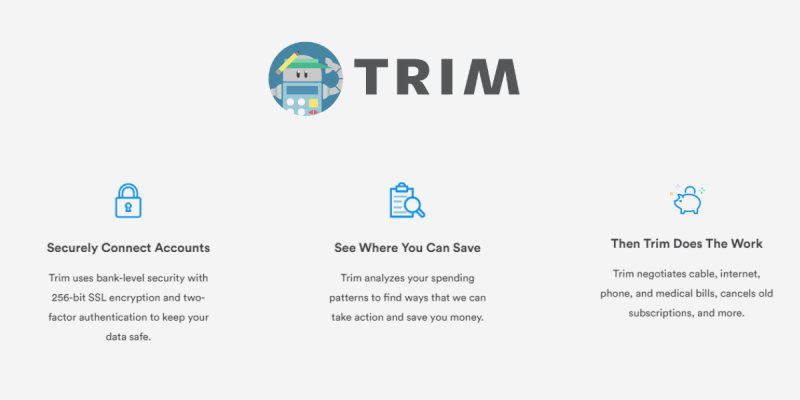
In A Nutshell: Trim is a financial service that helps you save money through personalized recommendations. The app helps lower your bills by up to 30%, cancel unwanted subscriptions, automate your credit card payments and savings, and more.
In A Nutshell: Rocket Money makes it easy to optimize your spending, manage subscriptions, lower your bills, and stay on top of your financial life. Rocket Money uses bank-level security with 256-bit SSL encryption and read-only access. Their fee is 40% of your savings.
What Is Trim?
Trim markets itself as a financial management service that can help you save money. The company was founded in 2015 and estimates that it has saved its users more than $40 million. Not bad!
The main way it cuts costs is by helping you cancel subscriptions and negotiate better deals on your recurring bills. It also offers features that help you understand what you spend your money on.
The company says it is now working on helping users with complex financial problems like escaping debt and preparing for retirement.
You can access Trim online or communicate with it via text or Facebook Messenger. It’s an interesting way of working that stands out from app-based platforms like Rocket Money.
Whether it works for you will depend on how you like to communicate with the services you use.
Check out our full Trim review to learn more.
See Also: 20 Best Money Saving Apps
What Is Rocket Money?
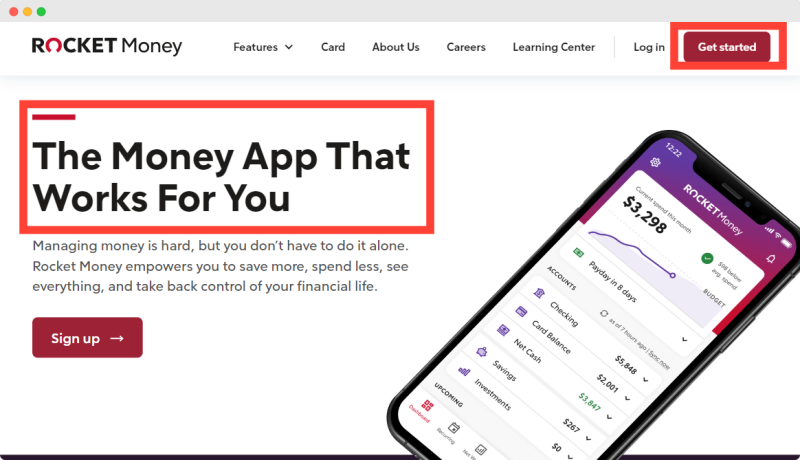
Rocket Money is an app that helps you save by reducing your bills and showing you what you spend your money on. The company says it has saved users more than $14 million since it was founded in 2015.
Both services connect to more than 15,000 financial institutions, so most people won’t have any problem setting up their accounts.
Rocket Money has an app that works with both iOS and Android, meaning most people will have no trouble using it. The app is highly-rated and has a 4.4-star rating on Google Play from more than 10,000 reviews and a 4.5-star rating on the App Store from more than 19,000 reviews.
Read our full Rocket Money review to learn more.
Trim vs. Rocket Money: How Do They Work?
The way Trim and Rocket Money work is pretty simple.
You connect your bank account and the services analyze your transactions to identify recurring bills and show you what you are spending your money on. They then recommend steps you can take to save money and cut costs.
Both services use a software product called Plaid to securely connect to your accounts. This means you don’t directly provide the company with your bank details.
How Trim Works
First, you need to sign up online, which you can do for free. You then need to let the service connect to your:
- Facebook Messenger account or phone number so you can communicate with the platform; and
- Your bank account and credit card so the service can analyze your spending habits and make recommendations.
Once you’re all set up, you communicate with the platform via Facebook or text message. The service will make recommendations and you can either act on them, ask Trim for help, or ignore them.
You can also manage your account via the website.
How Rocket Money Works
Rocket Money is an app. You need to sign up and then provide the company with access to your bank accounts and credit cards to analyze your spending. You can access all the features from within the app. Download it and explore the dashboard to see what is available.
Rocket Money offers both, a free and premium service. The premium services include subscription cancellation, unlimited budgets, ways to categorize your spending, smart savings, chat and much more.
Trim vs. Rocket Money: Signing Up
Both services are super-easy to sign up for. Just follow the steps below.
Trim Sign Up
- Head to the Trim homepage and click sign in. You can either use your Google account, Facebook account, or email address.
- Connect your Facebook Messenger account or phone number.
- Connect your bank account and credit cards.
- The service will then start to analyze your spending habits and alert you to ways you can save.
Rocket Money Sign Up
- To sign up for Rocket Money, you first need to download the app. Head to Google Play or the App Store and search for “Rocket Money.” You can also sign up on the website’s homepage.
- Once you’re registered, you need to connect your bank accounts and cards. Doing this will allow the company to analyze your spending habits and spot recurring bills.
- You can then look around the Rocket Money app to get to know the features. Ask the company to negotiate your bills, open a savings account, or start to cancel unwanted subscriptions.
See Also: Ibotta Review: Earn Cash Back When Shopping
Trim vs. Rocket Money: Features
Trim and Rocket Money have several similar features, as well as some that are unique to each platform.
Here is a list of each service’s most popular features.
Trim Features
Trim offers a mix of free and paid features. Subscribe to the premium plan to access all the service has to offer.
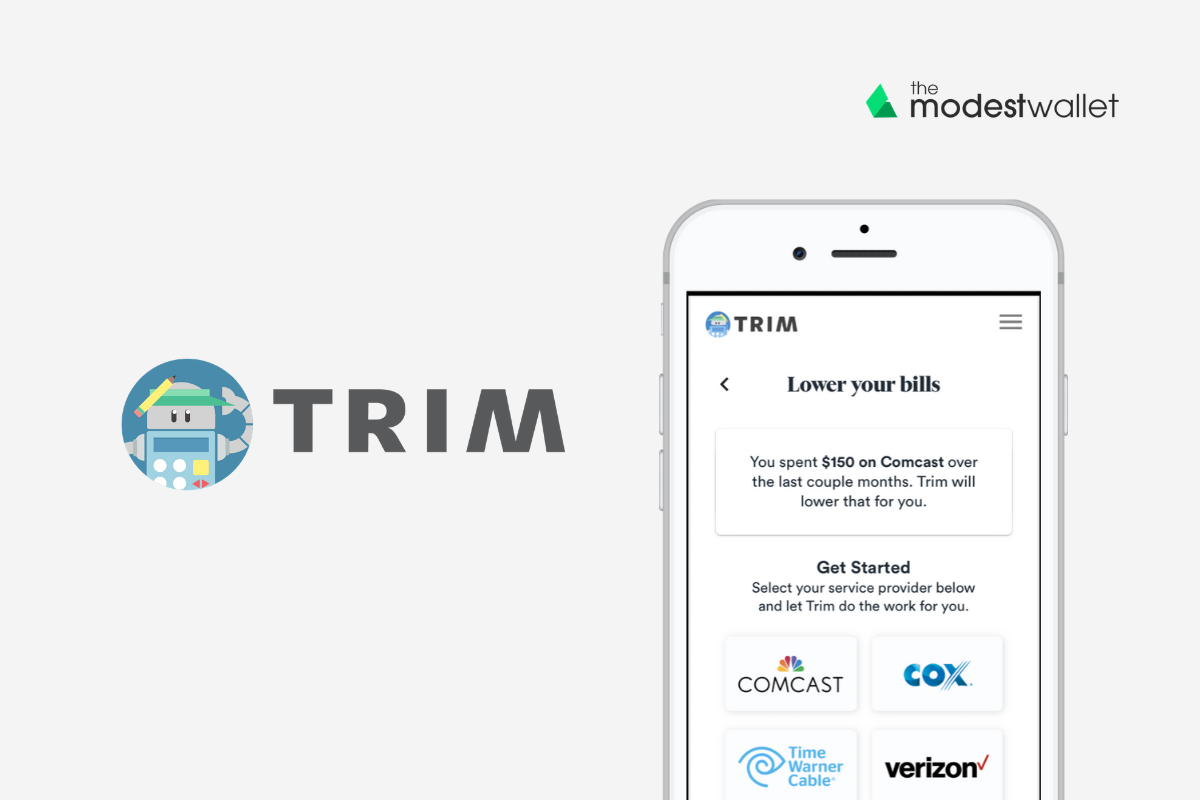
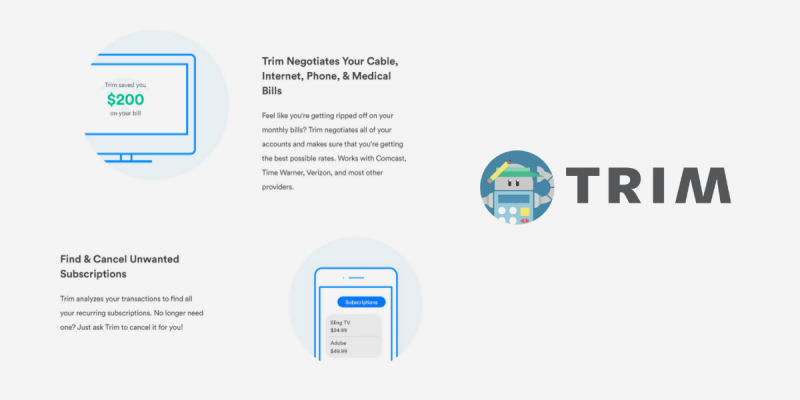
- Bill Negotiation: Trim will negotiate your cable, internet, or phone bill. The company will contact your provider on your behalf and can reduce your monthly costs by up to 30%.
- Credit Card Negotiation: The company will negotiate your credit card APR and help you get credits for interest and overdraft fees. This is part of Trim’s strategy to help people get out of debt.
- Medical Bill Negotiation: Trim will negotiate your medical bill. The company says it has a 90% success rate of reducing a bill or getting a zero-interest plan.
- TrimPay: TrimPay makes an automated weekly payment from your checking account to your credit card, thus helping you get out of debt. You choose the amount you want to pay.
- Spending Habits Analysis: Connect the service to your bank account to get full visibility into what you spend your money on. The app separates your spending into categories so you can see where you have room for savings.
- Identify Recurring Charges: Trim will also identify recurring charges so you can make an informed decision about whether to keep or cancel these services. Sometimes the app will cancel the subscription for you and sometimes you’ll have to do it yourself.
- Spot Savings Opportunities: The company will also help you find opportunities to save on your electric and auto insurance bills.
- Automatic Savings: Trim will set up a savings account and automatically transfer money to it every week. The service currently offers 4% interest on the first $2,000 in your account.
- Set Spending Alerts: You can set up an alert when your bank balance is low so you don’t get hit with hidden charges.
- Financial Product Recommendations: Trim will recommend financial accounts that fit your needs.
| Trim Free | Trim Premium | |
|---|---|---|
| Bill Negotiation | 33% of savings |  |
| Monitor Subscriptions | | |
| Monitor Daily Transactions | | |
| Personalized Spend Alerts and Reminders | | |
| Debt Payoff Calculator | | |
| Bank Negotiation (Lower Credit Card APR) | | |
| High-Yield Savings Account | | |
| Cancel Unwanted Subscriptions | | |
| Personal Financial Coach | | |
| TrimPay: Pay down Credit Card Debt Faster | | |
| Negotiate Medical Bills | |
Rocket Money Features
Like Trim, Rocket Money offers a mix of both free and paid features. Here are some of the most popular ones.
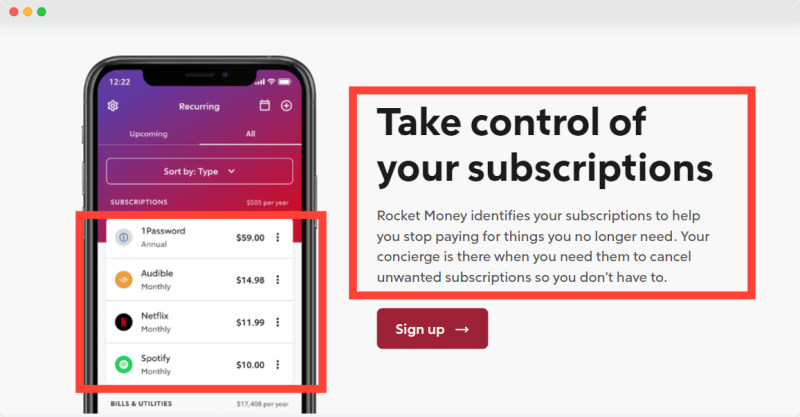
- Bill and Subscription Management: Rocket Money will analyze your bank accounts and credit cards to spot recurring payments.
- Bill Negotiation: You can choose to ask Rocket Money to negotiate bills on your behalf, which may lead to savings.
- Outage Refunds: The company will check when the services you pay for are unusable and apply for refunds to cover any downtime.
- Request Refunds: If you get a bank charge, you can ask Rocket Money to request a refund automatically.
- Spending Analysis: The reports section of the app shows what you are spending your money on and how this changes over time.
- Pay Advance: Rocket Money provides interest-free advances of up to $100 to users with an upcoming payday.
- Budgeting: You can set up budgets for different categories of products. This can help you keep your spending on certain items down.
- Automated Savings: You can set up Truebil so that it automatically sends money from your account to a savings account, helping you build wealth.
| Rocket Money Free | Rocket Money Premium | |
|---|---|---|
| Bill Negotiation | 40% of savings | |
| Rocket Money Pay Advance | | |
| Monitor Subscriptions | | |
| Monitor Daily Transactions | | |
| Monthly Spending Reports | | |
| Limited Budget Capabilities | | |
| Outage Refunds | | |
| Unlimited Budget Capabilities | | |
| Cancel Unwanted Subscriptions | | |
| Smart Savings (Automated Savings) | |
Trim vs. Rocket Money: Pricing
Trim and Rocket Money both offer a free service, as well as a premium option with more features.
Trim Pricing
Trim Premium costs $99 per year. While this is a significant cost, the company says the average user saves more than $1,000. For the price, the company will:
- Negotiate with your bank to help you save on your APR, interest, and overdraft fees
- Negotiate with your phone, internet, wireless, and cable providers
- Provide you with a savings account that gives you 4% interest on your first $2,000
- Provide financial coaching over email
- Negotiate with medical bill providers
- Cancel subscriptions
- Automate credit card payments
Trim users can also choose just to use the bill negotiation service.
If you do this, you will have to pay 33% of your total savings over the first year. For example, if the company cuts your bill by $100 over 12 months, you have to pay $33. You don’t pay anything if the company isn’t successful.
The ultimate decision is whether the $99 fee for premium is above or below the commission Trim will take on your bill negotiation. If you have many bills you want to reduce, you could easily pay more than $99.
Rocket Money Pricing
Rocket Money users can choose their own price to pay for the premium services, between $3 and $12 per month. Or you can choose to pay annually, either $36 or $48.
Premium users get access to features like balance syncing, premium chat, smart saving, custom categories, and unlimited budgets.
The company charges extra for its bill negotiation features, regardless of whether or not you have a premium plan. If the service successfully negotiates a saving, it will charge you 40% of the first 12 months’ saving. This means if the company saves you $100, it will charge you $40.
Rocket Money charges 40% of the total saved when it successfully gets you a refund for service downtime.
If you use the payday advance feature, you can choose to tip Rocket Money up to 24% of the total amount you receive.
Trim vs. Rocket Money: Platform
The way users access Trim and Rocket Money is different. The best option for you will depend on how you like to interact with your services.
Trim Platform
Trim is an online platform that you can access via a browser on either desktop or mobile devices.
From the dashboard, you can see information about your spending and take advantage of the premium features. The dashboard is easy to use.
The service also communicates with users via Facebook Messenger or text message. It will send you a message when it notices an opportunity to save. This is an intuitive way to use the platform and is good for people who don’t like to clutter their phones with apps.
See Also: Billshark Review: Lower Your Bills & Get the Best Rates Available
Rocket Money Platform
Rocket Money uses an app that is available on both iOS and Android. From here, you get access to all the service’s features. If you use a lot of apps, you’ll know what to expect.
Trim vs. Rocket Money: Security
As with any company you provide sensitive financial information to, you want to be sure that both Trim and Rocket Money will keep your information secure. Both platforms take similar steps to do so.
Trim Security
Trim uses 256-bit SSL encryption to protect your data on its website and servers. This is one of the most secure forms of encryption.
You can also protect your account with two-factor authentication to stop hackers. This means every time you log in from a new device, you will need to provide your username, password, and a third piece of information from a secure app.
The company uses a service called Plaid to connect to bank-accounts. This means your bank details never actually get sent to the Trim servers.
Rocket Money Security
Rocket Money uses bank-level 256-bit encryption to keep data safe. It also uses Plaid to connect to your bank account, meaning your details don’t touch its servers.
See Also: 25 Best Coupon Websites to Save Thousands
Trim vs. Rocket Money: Customer Service
It’s generally easy to sign up for and use each platform. But, issues can arise. Here is how Trim and Rocket Money help their customers.
Trim Customer Service
Trim has a help desk with answers to many common problems. You can also contact the team by email at [email protected].
Rocket Money Customer Service
Rocket Money has a comprehensive FAQ section on its website where you can search for answers to the most common problems.
It also has a contact form you can use to get in touch with the team. The company responds to requests between 9 a.m. and 5 p.m. Eastern Time from Monday to Friday.
Trim vs. Rocket Money: What We Like
There’s plenty to like about each platform.
What We Like about Trim
- Access to free features
- Doesn’t require an app download
- Access to the high-yield savings account
In A Nutshell
- Monitor and cancel unwanted subscriptions
- Automate your savings
- Automate credit card payments
- Free to sign up

What We Like about Rocket Money
- Pay only for the premium options you like
- Interest-free payday loans
- Automated outage refunds
In A Nutshell
- Monitor and cancel your bills unwanted subscriptions
- Lower your bills on autopilot
- Automate your savings with smart savings
- See your cash, credit, and investments at-a-glance

Trim vs. Rocket Money: What We Don’t Like
Of course, each platform has its negatives too.
What We Don’t Like About Trim
● Premium service has a high upfront cost
What We Don’t Like About Rocket Money
● The 40% commission it takes for bill negotiations
Final Thoughts
If recurring bills weigh you down, then both Trim and Rocket Money are powerful tools to help cut your spending. The bill negotiation feature both services provide can help you make significant monthly savings, even after the considerable commission each company takes on your savings.
Some of the other features are less valuable, although still nice to have. Whether they are worth the premium price tag to you will depend on your specific financial situation. Trim and Rocket Money are free to sign up for, so give them both a try if you are unsure which is best for you.
Up Next
- Capital One Shopping Review: The Best Way to Save Money Online?
- 25 Proven Ways to Save Money on Gas This Month
- 18 Ways to Save Money on Electricity (Every Month)
- How to Save Money: 91 Effective Ways to Save Money Fast
- 20 Best Cash Back Apps Worth Your Time
Get our free Personal Finance Blueprint to learn everything you need to know to build wealth.
Plus our best money tips delivered straight to your inbox.
Ricardo is an entrepreneur, investor and personal finance nerd who enjoys spending time with his family and friends, travelling and helping others achieve their financial goals. Ricardo has been quoted as a personal finance expert in several online publications including Healthline, Bankrate, GOBankingRates, MSN Money, Yahoo Finance, U.S. News & World Report, Forbes and USA Today.